Debugging Rust with GDB and Visual Studio Code
Bo̍k-lio̍k目錄
[siu收]
Version Infomation
- VS Code: 1.36.1
- GDB: 7.11.1
- rustc 1.36.0
Installing Steps
- Install Rust.
- Install C/C++ Extension of VS Code (Rust Extension is recommended though).
- Use
cargo new Project-folderto create a new project folder. - Open the project folder (not the src sub-folder of the project folder) with VS Code.
Debugging Example
- Select main.rs file. Then press F5, and select “C++ (GDB/LLDB)”.
- Modified the launch.json configuration file as the following:
1 | { |
- Because we want to compile the project (
cargo build) before debugging it, we should add a task to tasks.json:
1 | { |
Debugging Demo
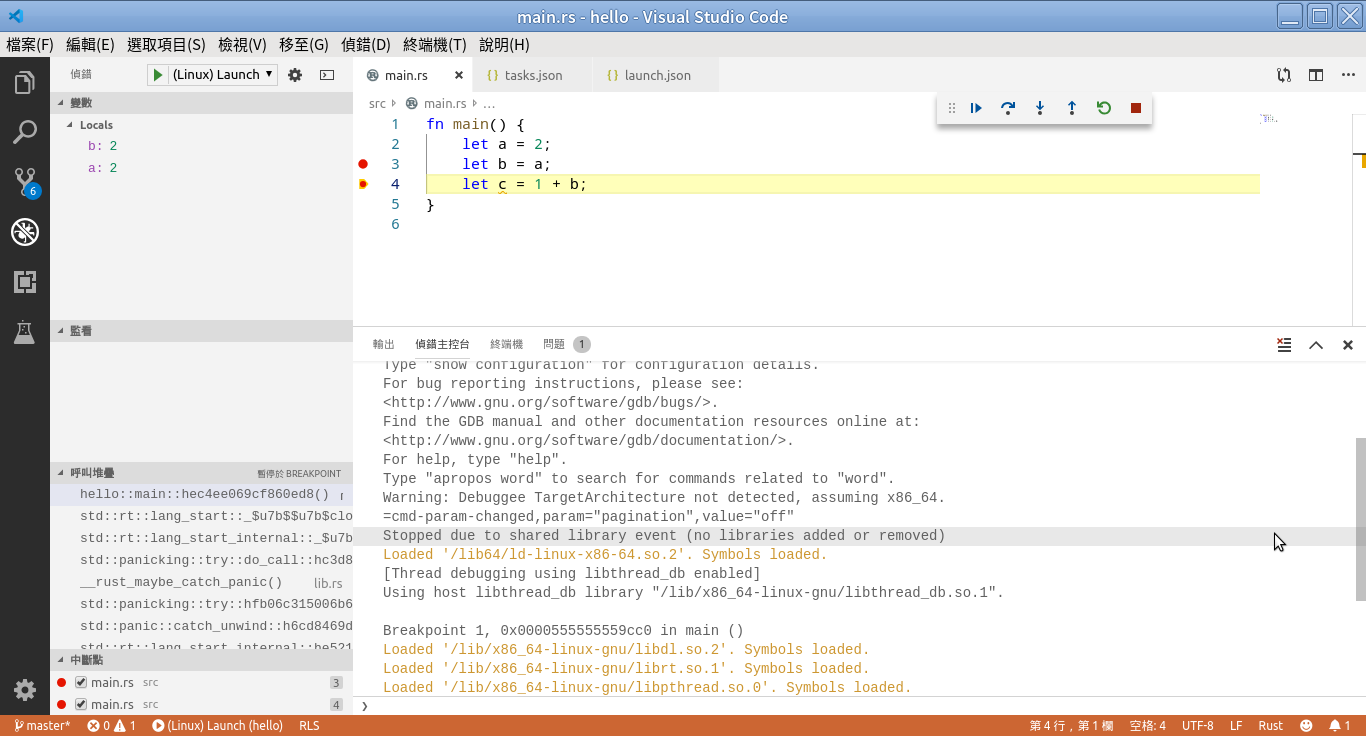
PS
The debugging function seems to be imcomplete.